
A different file per locality
Sales, expenses, and checks close in chats and sheets that never match.
Business management software
One solution for the localities in a holding.
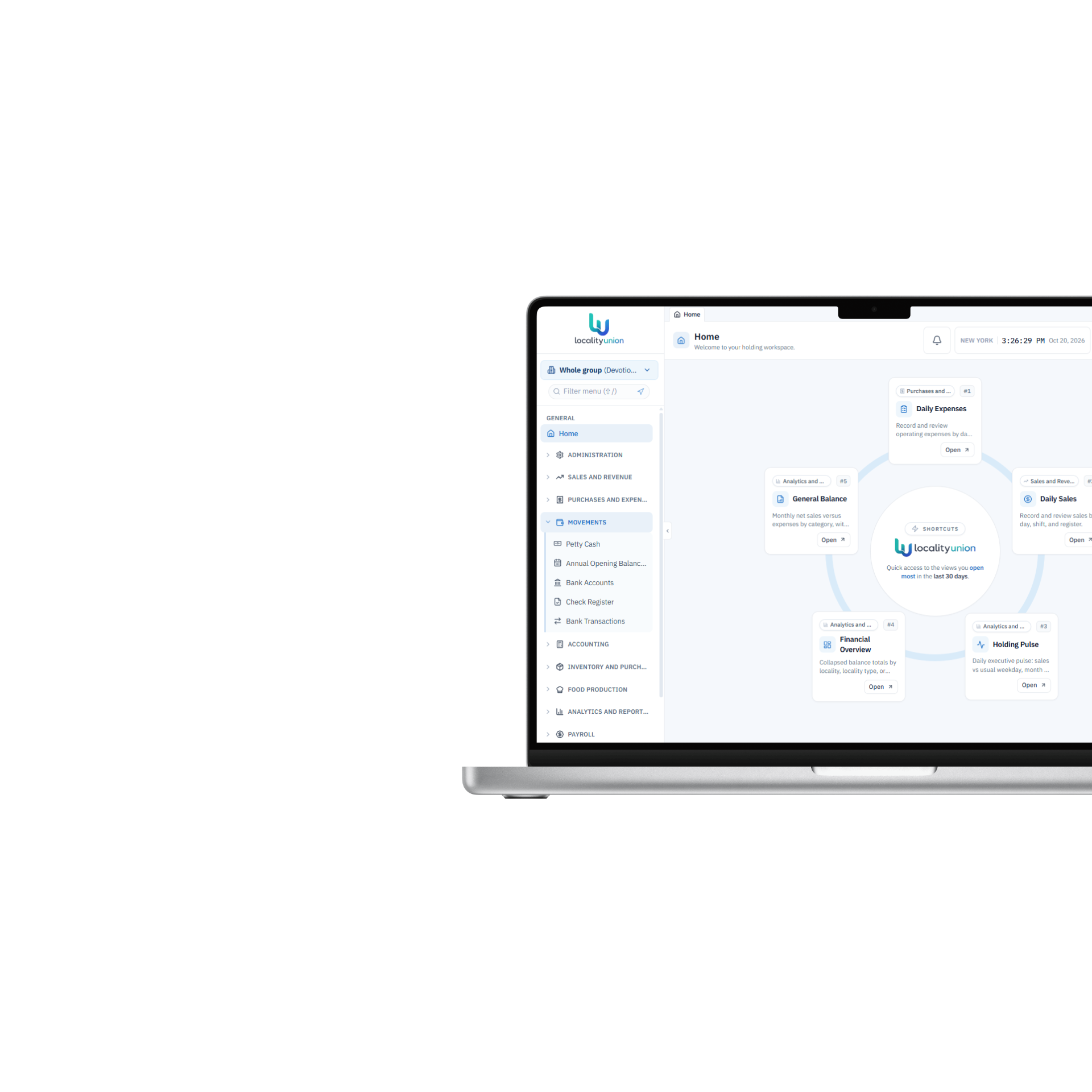
LocalityUnion connects every locality in one workspace: sales, expenses, payroll, cash, and analytics — so the owner sees the numbers and keeps each business healthy from the start.
15 days to try it · with support
Several localities, one holding
One holding, many localities, one source of truth.
Intelligence & automation
Danny and reports that show what’s healthy — and what’s not.
Security & reliability
Role-based access with holding data under control.
Cloud, always available
Access from any device, whenever you need it.
Why the next locality gets hard to see
One business can live in a spreadsheet. A holding cannot. Owners need the same close, the same payroll week, and the same cash picture in every locality — early, not at year-end.
Sales, expenses, and checks close in chats and sheets that never match.
By the time the holding total exists, the week you could have fixed is already gone.
A drop in sales or a payroll spike shows up as a number, not as the locality and the day behind it.
Each locality is its own
What we do
Daily close, payroll, and the holding view — the same way in each locality.
01 · Daily close
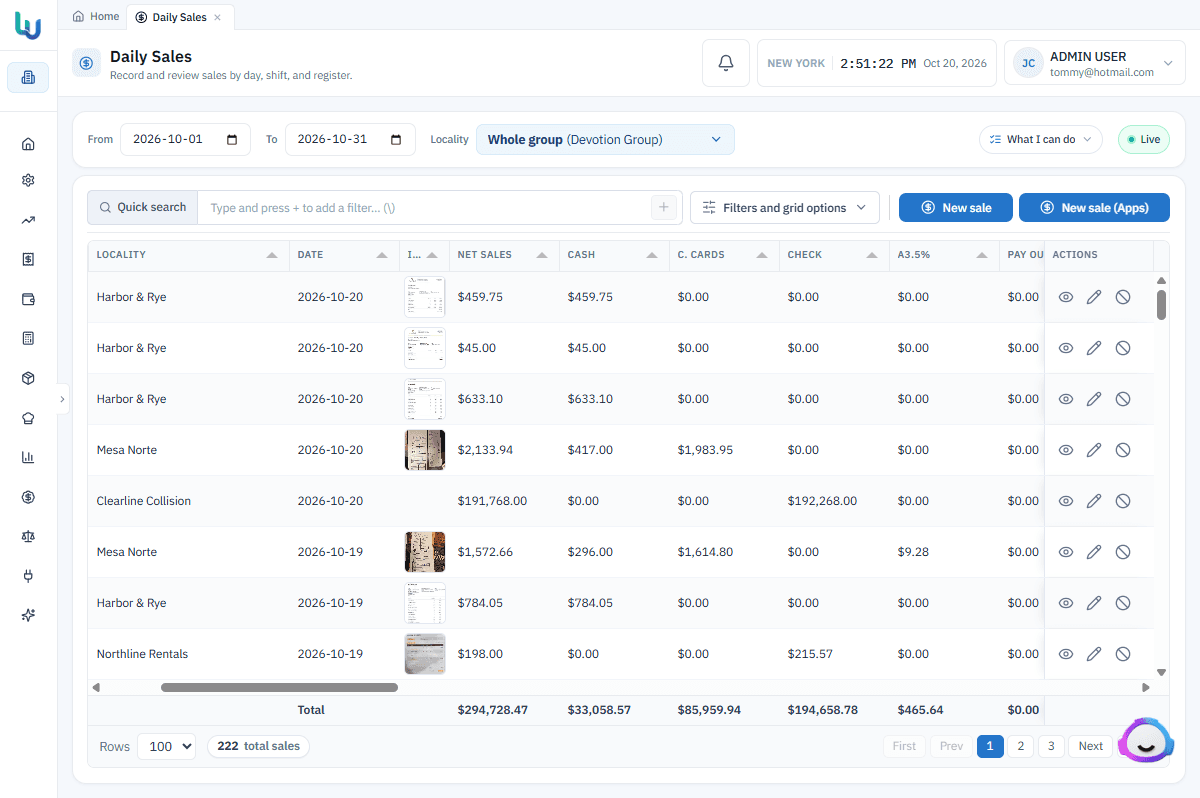
Enter the day’s sales, expenses, and checks with the fields of that locality: restaurant, café, shop, or central kitchen. If it has branches, each one closes its own.
02 · Payroll
People are the largest cost. Generate the week for that locality, review the lines, and keep history without mixing it with another locality.
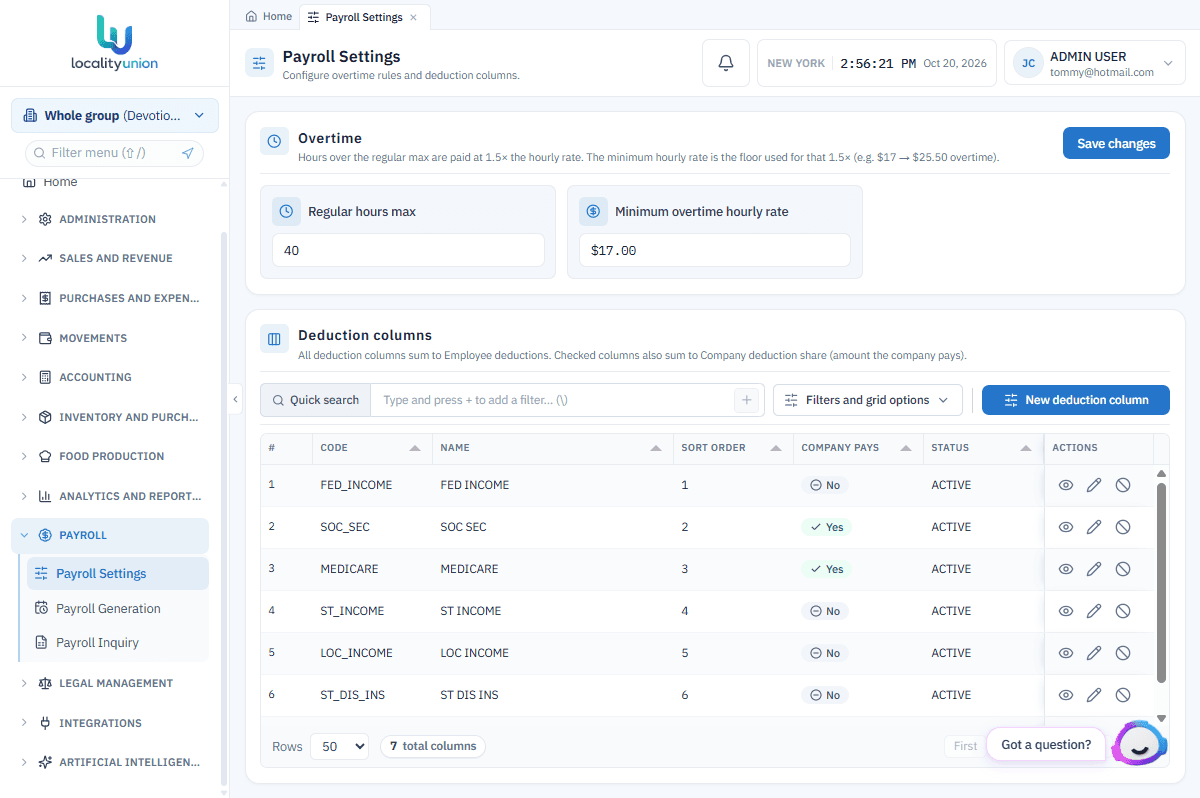
03 · Executive view
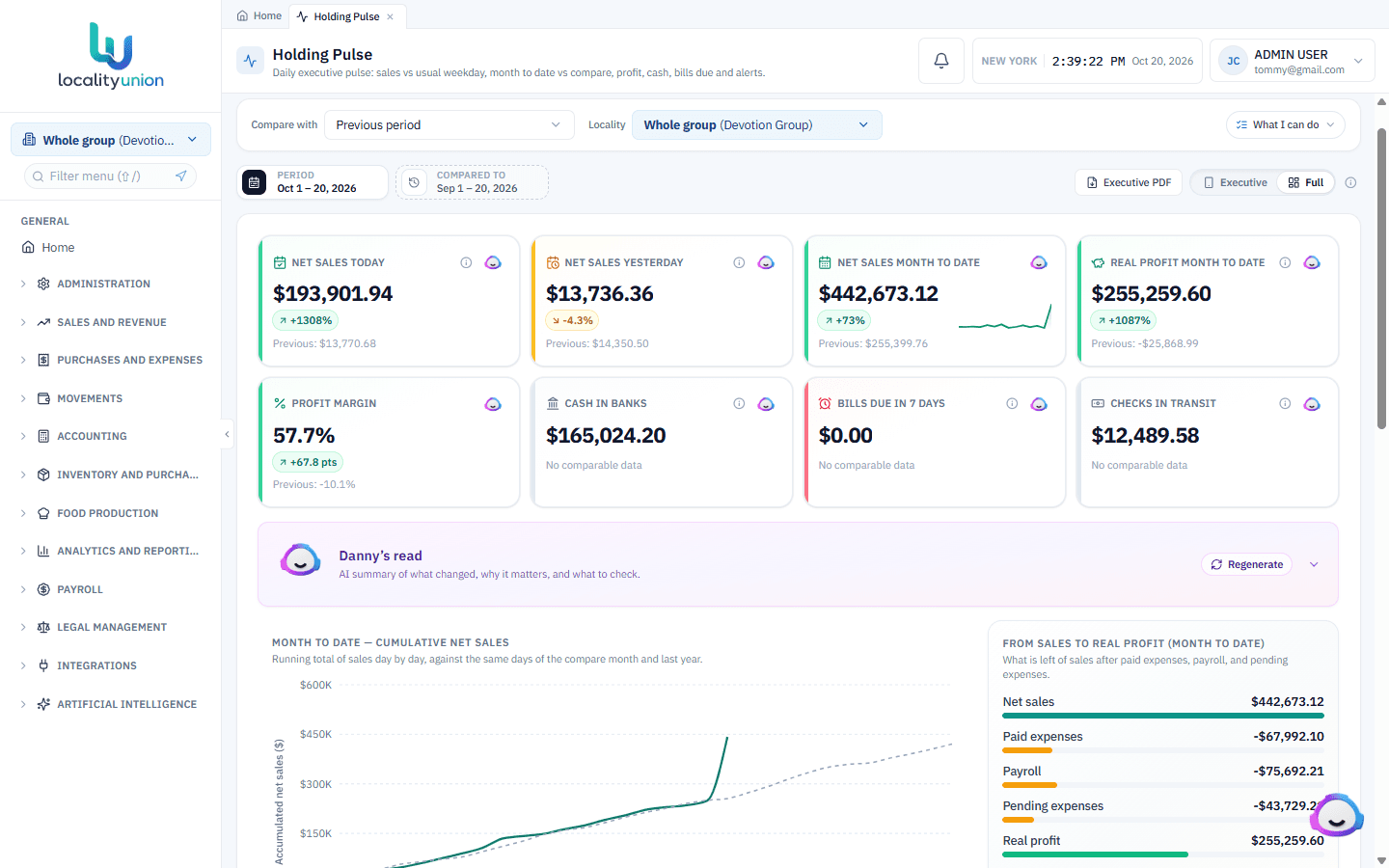
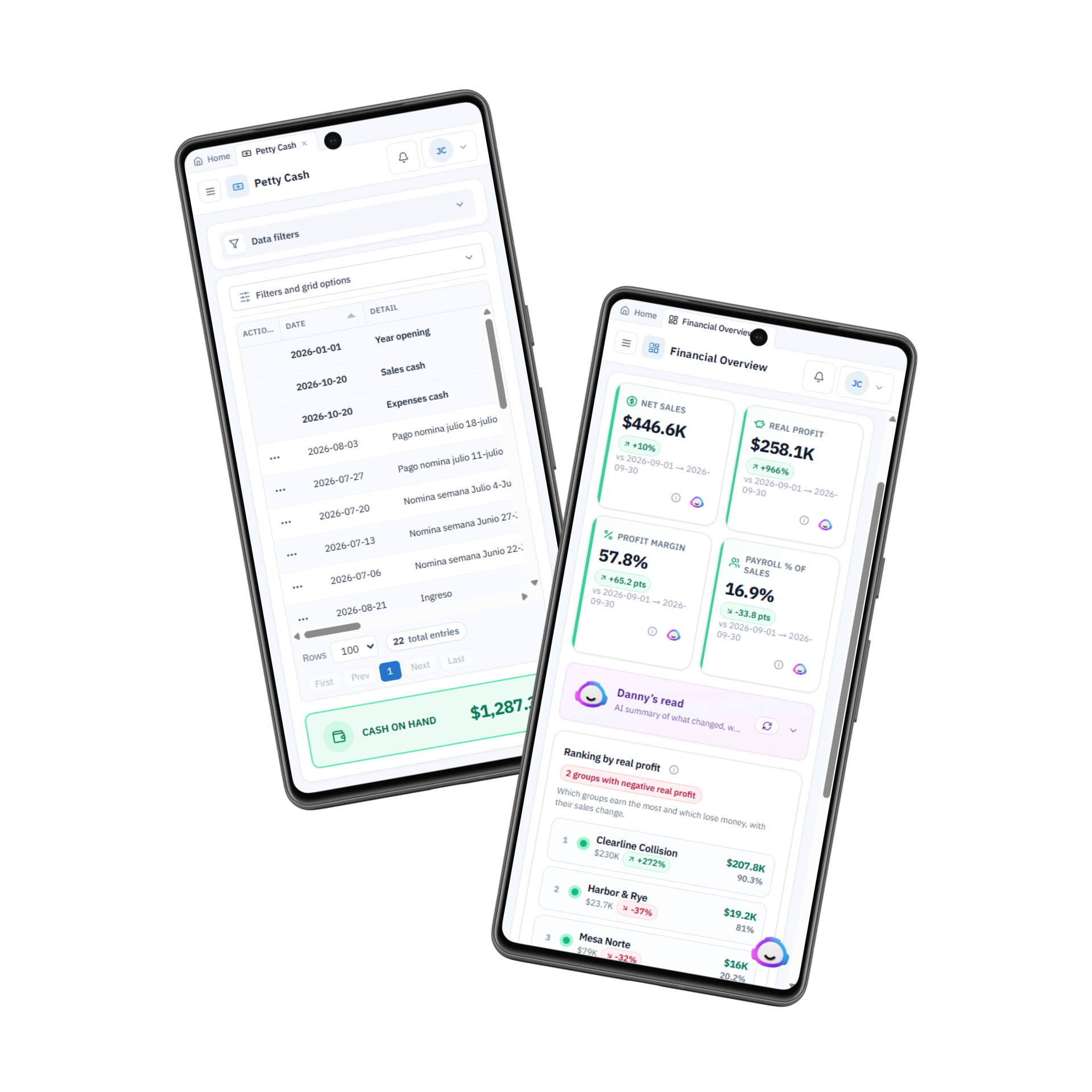
Holding pulse, the scorecard, and Danny answer from live data — sales, payroll, cash — so you see what is fine and what is not.
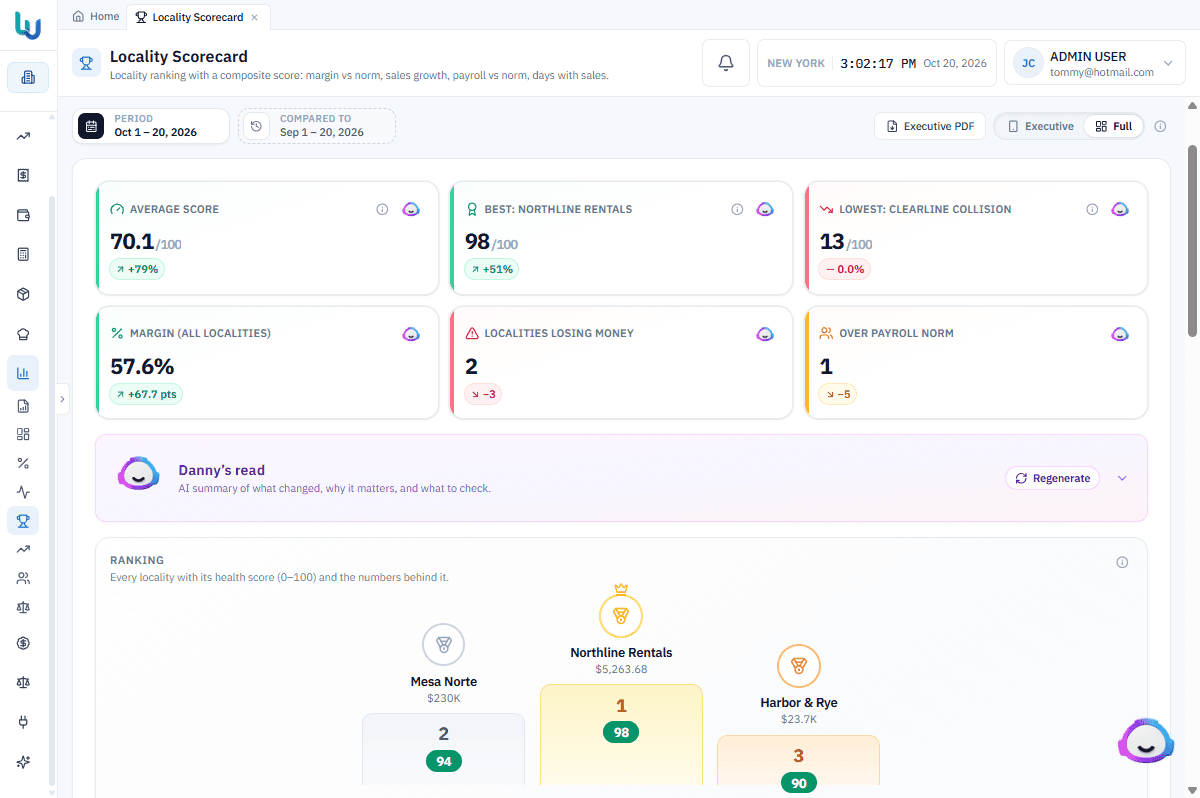
Your localities
+ Add a locality

Your centralized workspace
What you get
The holding is set up once: localities, branches, people, and the catalogs every other module reads. Access stays with the role, not with a shared login.
Each locality closes the day with the fields of its type. If it has branches, each one records its sales. The holding total is the sum of those closes.
Cash has a path from the drawer to the bank. Petty cash, accounts, checks, and transactions live in one register instead of a separate sheet per locality.
The week belongs to one locality. You generate the payroll, review lines and deductions, and paid history stays auditable without mixing localities.
You see what each locality has, what was ordered, and what arrived — before the week’s cost shows up as a surprise.
Operating spend closes with the same discipline as sales: a category, a day, and the locality that actually spent the money.
And much more. Contact us for more information.
Four steps, in this order.
Every locality lands in the same place. A café, a shop, or the whole group shares one source of truth.
The daily close and payroll use the same step in each locality. The week stops living in a separate file.
Sales, expenses, cash, and inventory follow one process. What happens in one locality stays with that locality.
See which locality moved while the week is still open. The number arrives in time to act on it.
Our purpose
Help owners of several localities know their numbers and finances, and build each business healthy from day one.
What business owners ask before they request a demonstration.
One subscription for the holding, not a separate tool for each locality. The plan follows the localities you operate. On the demonstration we match it to how many localities you have and what you turn on. Asking does not start billing: you get 15 days of use, with support, to try the platform. If it meets your expectations, you can contract.